Getting Started
Autotask
Your Company Dashboard
How to log into Autotask
Autotask Overview
Navigating the Client Portal
How to Log a Ticket
Managing Your Tickets
How to enable Client Portal pop-ups in your browser
Ticket Report in Autotask
Statuses of Tickets
Priorities of Tickets
Shop
Content Management
Settings
Members
SEO
Overview of SEO
SEO for Images
SEO for Blogs
SEO for Pages
SEO for Shop Categories
SEO for Products
Google My Business Profile
Bulk SEO Management
New Website Builds
User Acceptance Testing (UAT)
UAT Overview
Placing Test Orders on UAT
Test Cases
Tips for Troubleshooting
UAT Feedback
Content Entry Checklist
Go Live Prep
Projects & Support
Digital Website Style Guide
Overview:
A digital website style guide is a set of style elements that the admin can leverage to apply their content. It ensures consistency and coherence across the website, making it easier for different contributors to maintain a unified look and feel.
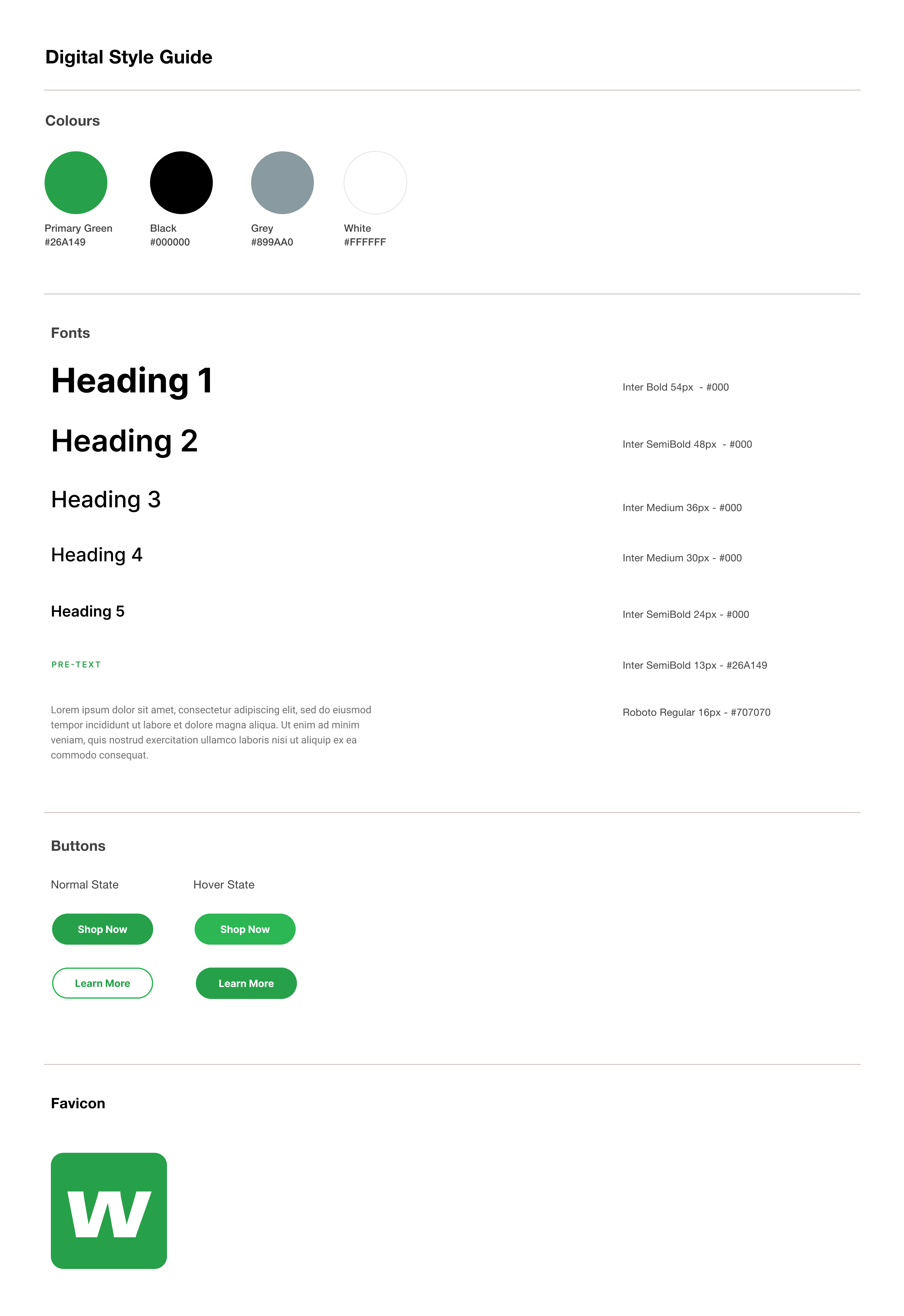
Key Parts of a Style Guide:
- Styling Text: Specifies fonts, sizes, colors, and spacing for headings, paragraphs, and links.
- Color Scheme: Manages the color palette used throughout the website, ensuring consistency in backgrounds, text, and buttons.
- Responsive Design: Adjusts the layout and elements to work well on different screen sizes (e.g., mobile, tablet, desktop).
- Element Styling: Sets the appearance of specific elements like buttons, forms, images, and navigation menus.
- Theming: Allows for the application of consistent design themes across multiple pages or sections of a website.
Where to Fine Me:
When your website is first created we set-up a website style page for you to utilise. You can find this in the CMS > Pages > Digital Style Guide