Getting Started
Autotask
Your Company Dashboard
How to log into Autotask
Autotask Overview
Navigating the Client Portal
How to Log a Ticket
Managing Your Tickets
How to enable Client Portal pop-ups in your browser
Ticket Report in Autotask
Statuses of Tickets
Priorities of Tickets
Shop
Content Management
Settings
Members
SEO
Overview of SEO
SEO for Images
SEO for Blogs
SEO for Pages
SEO for Shop Categories
SEO for Products
Google My Business Profile
Bulk SEO Management
New Website Builds
User Acceptance Testing (UAT)
UAT Overview
Placing Test Orders on UAT
Test Cases
Tips for Troubleshooting
UAT Feedback
Content Entry Checklist
Go Live Prep
Projects & Support
SEO for Blogs
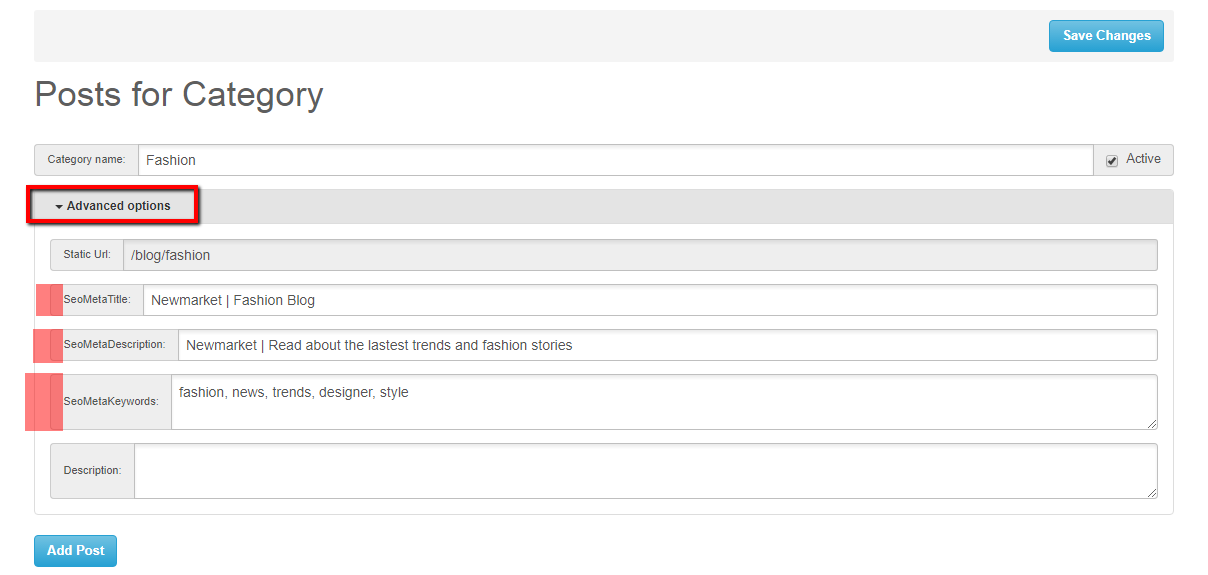
SEO at a Blog Category Level:
When setting up new Blog Categories or updating current ones you have the option to create SEO data. The fields available to you are as follows:
- SEO Meta Title
- SEO Meta Description
- SEO Meta Keywords
You can find this in the CMS by going into the blog module clicking on the required Blog Category and selecting ‘advanced options’. This will then dropdown your SEO fields to populate.
Once happy click ‘save changes’
SEO at a Blog Post Level:
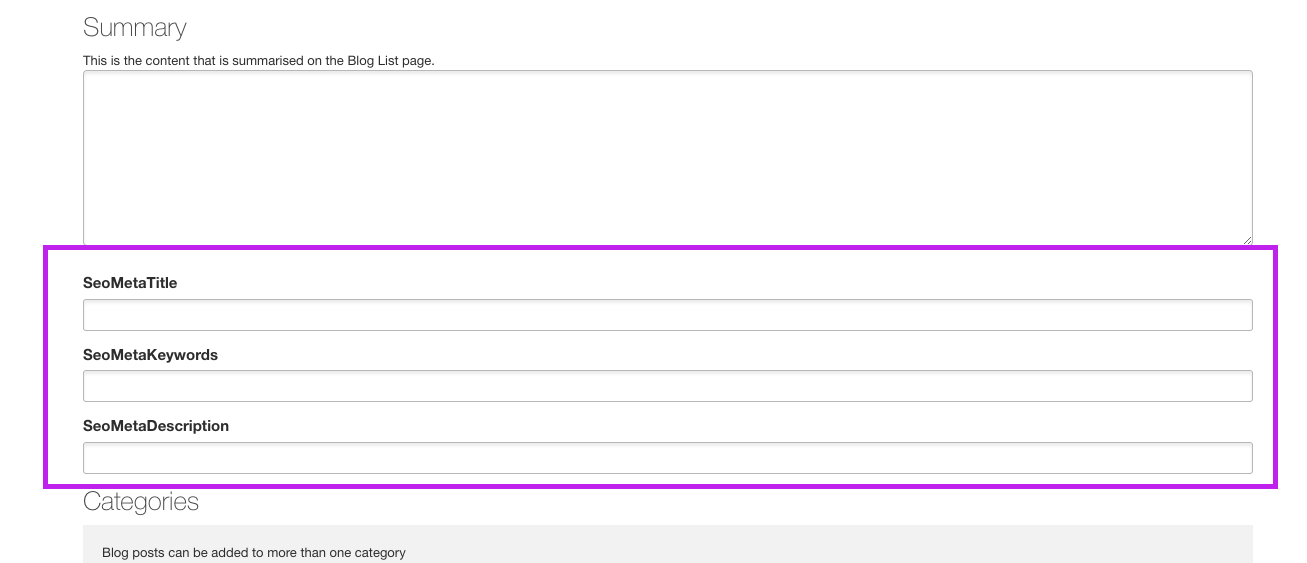
Another place in your blog module you can create SEO data is when you are setting up new Blog Posts or updating current. The fields available to you are as follows:
- SEO Meta Title
- SEO Meta Description
- SEO Meta Keywords
You can find this in the CMS by going into the Blog module, clicking on the required Blog Category, then selecting edit on your blog post. Next you will need to click on the ‘settings’ tab
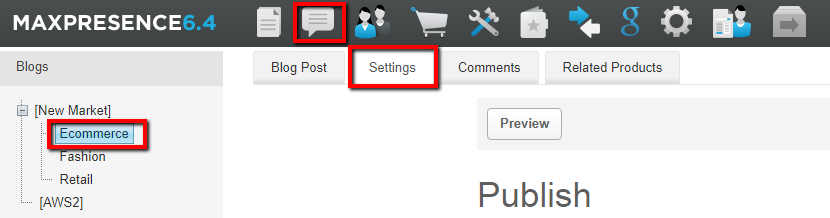
And then scroll to the bottom to view the SEO fields.